

Comfortable, efficient and secure: what a modern smart home looks like
Just as a TV isn’t smart simply because it has a remote control, a home doesn’t become a smart home just because you can control the air conditioning from your phone or the shutters with a remote. Remote control is an important capability, but you can only really talk about a smart home when these systems adapt to their surroundings and to the habits of the people living there – improving comfort, security and quality of life without anyone having to step in, and even reducing your ecological footprint by using energy optimally.
That said, home automation isn’t about everything always happening on its own. A good system takes repetitive chores off your hands, alerts you in good time, stays controllable by hand and gives a clear message if something goes wrong.
MindzenSmart designs and installs wired and wireless smart home systems. We design for local control: automations keep running without the internet, and your data doesn’t depend on a cloud provider based abroad. Because we also hold a security systems installer licence (the Hungarian official licence for installing security systems), we can integrate security functions alongside the comfort features.
A day in the smart home
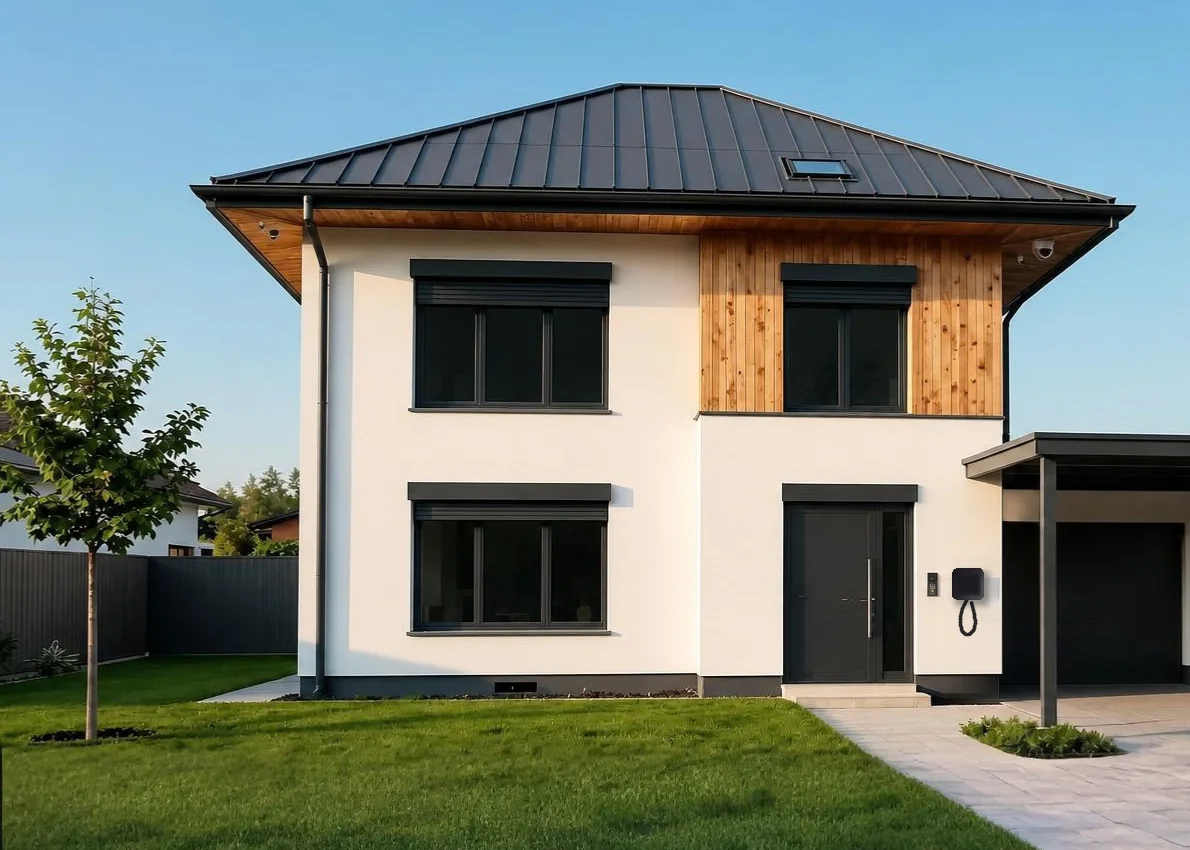
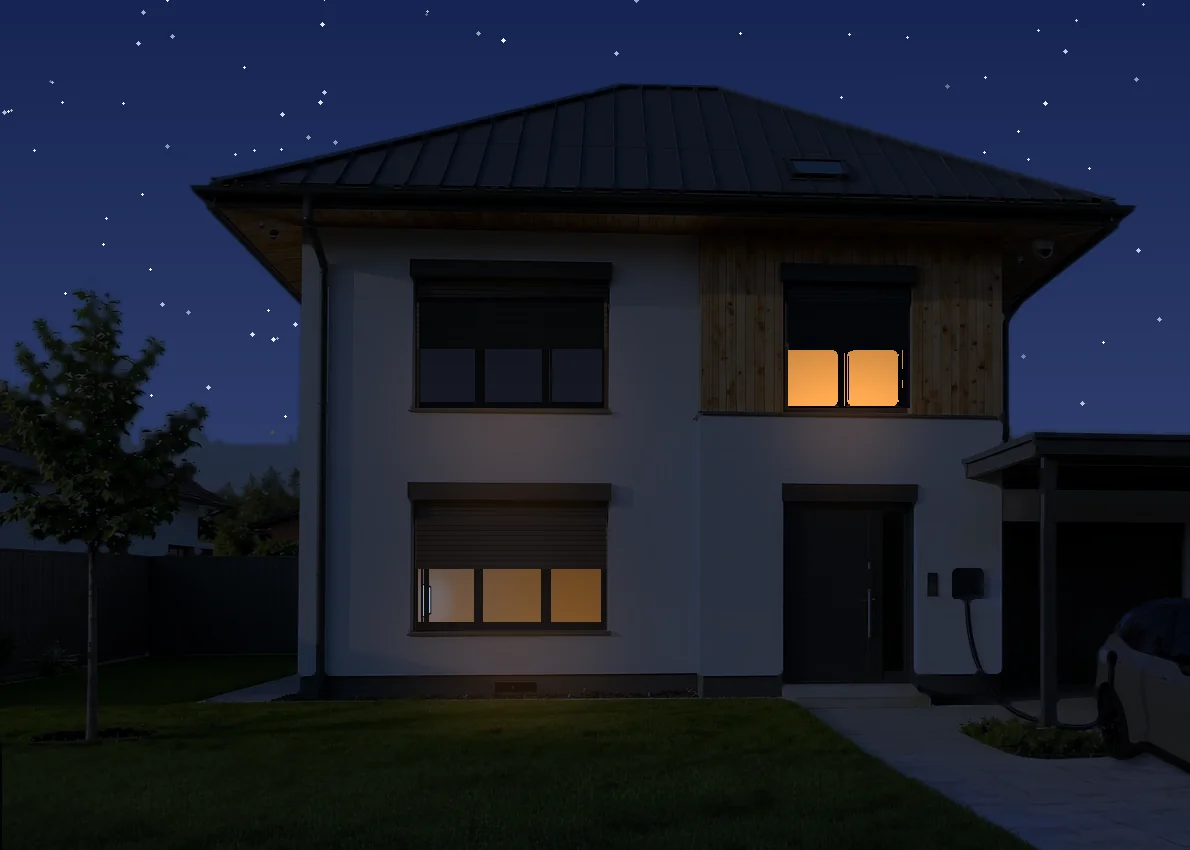
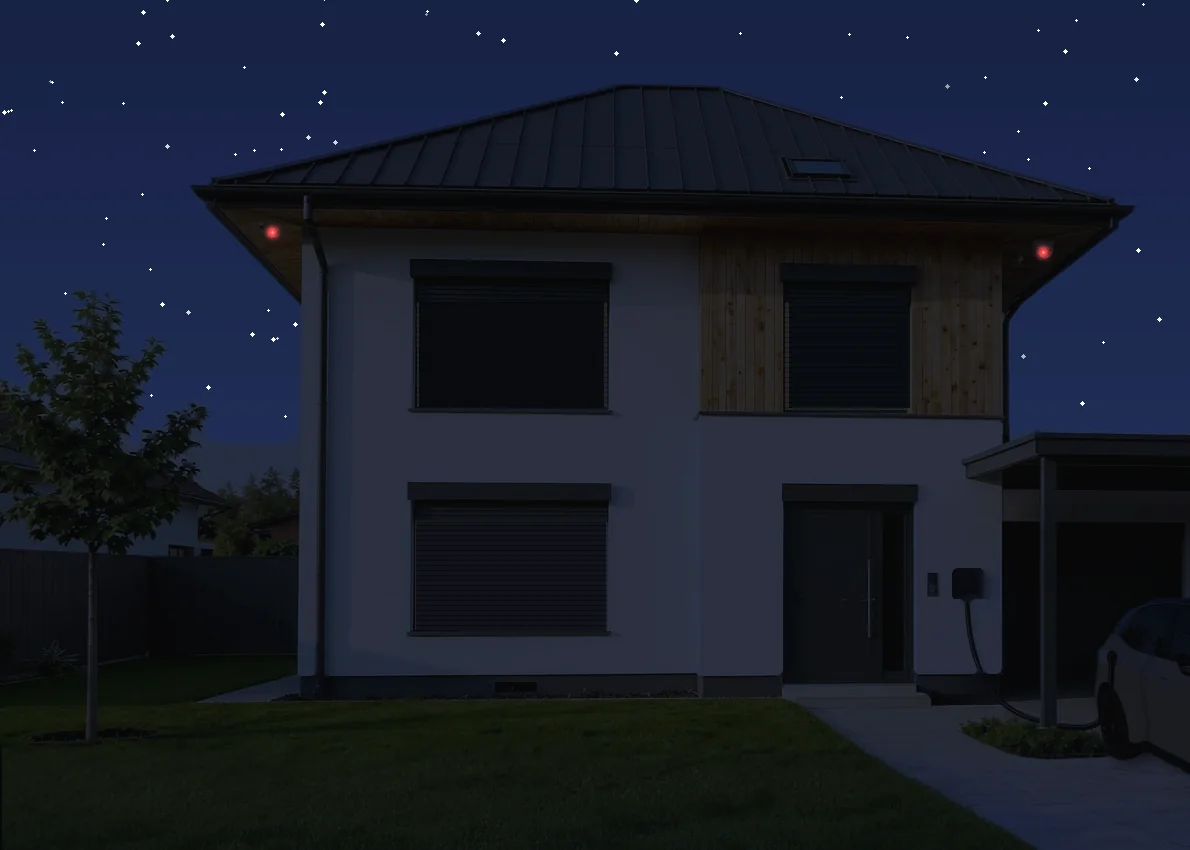
The same house in the morning, while you’re away, in the evening and at night – the system switches by itself, so you don’t have to change any settings.
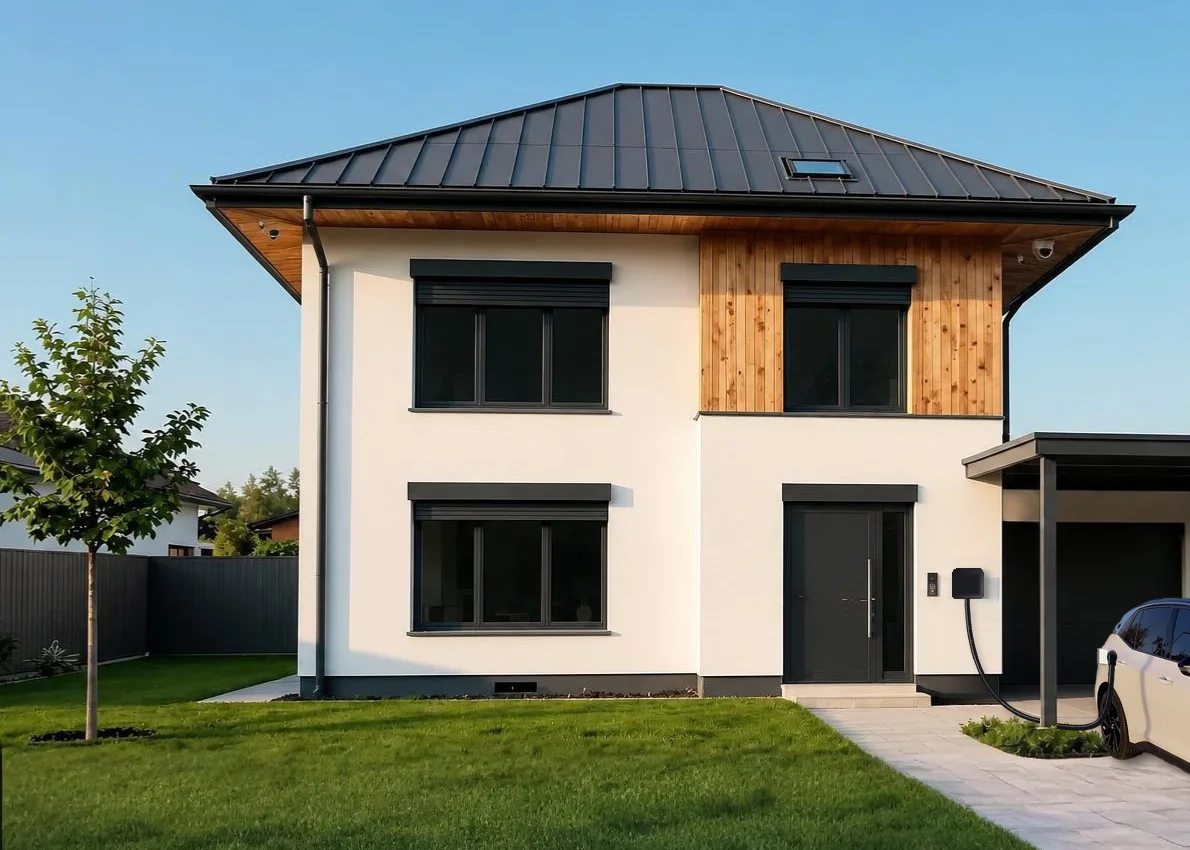
Morning: the house wakes up with you
- Shadingopening
- Bathroom, kitchen22 °C
- Alarmnight mode off
- Irrigationfinished 20 min ago
Away: the house looks after itself
- Alarmarmed
- Camerasarea monitoring
- Heatingeco
- Robot vacuumactive
Evening: coming home, no keys needed
- Gateopens for your number plate
- Living roomcinema mode on
- Heatingcomfort
- EV charger6.5 kW
Night: the family sleeps, the house keeps watch
- Alarmdoors and windows
- Night lightswitches on with movement
- Gardenperson + car detection
- Shadinglowered
What problems does it solve?
A well-designed smart home can help with:
- Room-by-room heating and cooling control, based on how rooms are used and on the weather
- Controlling shutters, other shading and lighting to suit the time of day
- Making energy consumption visible and optimising it
- Managing the times you're away – presence simulation, everything off at the touch of a button
- Early warning of water leaks and other technical faults, with automatic shut-off
- Monitoring presence and movement without cameras
- Making better use of the energy your solar panels produce
- Replacing lots of different manufacturer apps with a single interface
- Linking the alarm system with comfort functions, so the same sensors serve more than one purpose
What's worth knowing up front, though: a smart home brings comfort and measurable savings, but it isn't magic. It won't make a poorly insulated house cheaper to heat, and the system is only worth as much as you actually use it. That's why we'd rather recommend fewer automations that work well than lots of them that everyone switches off after two weeks. A good smart home system can be expanded later.

Who is this service for?
- People renovating or building new who want to lay the right foundations for the system as early as the electrical installation – shutters, heating, lighting and shading from a single hub
- Apartment owners who can’t chase into the walls: we work without opening walls, using wireless devices – Zigbee, Z-Wave, Thread, Wi-Fi – and modules fitted behind your existing switches
- Those who have already made a start: we bring mixed-brand, half-finished systems – Shelly here, Philips Hue there, separate apps for each – under a single hub
- Companies and offices, where controlling heating, lighting and shading delivers measurable energy savings – the version tailored to commercial buildings is building automation and building management
What do we survey?
A site survey isn't just reading out a list of devices. On site, we go through the following:
- The list of rooms and your daily routine: what should happen automatically
- The existing electrical installation, the size of the back boxes, and whether there's a neutral wire at the switches
- The type of shutters and blinds, their motors and how they're currently controlled
- The type of heating system: radiators, underfloor heating, and whether the boiler or heat pump can be controlled
- The smart devices and apps you already have – which of them can be integrated
- Internet connection, router location, Wi-Fi coverage and whether the network can be segmented
- Radio environment: channel occupancy in the 2.4 GHz band, background noise in the 433 and 868 MHz bands
- The physical location and power supply of the future hub and network equipment
- Where the water supply enters the building and whether it can be shut off
- Existing alarm, cameras, intercom and gate opener, if there are any
- Who will use the system – children, elderly family members, tenants, cleaners – and through what interface
- The pace of expansion: what's worth starting with and what can come later

What can the service include?
- Needs assessment and system design: room list, a function matrix – what to control and based on what – choice of platform and protocols, and device allocation. The design document remains useful even if the installation is scheduled in several stages
- Radio network and frequency coordination: on-site measurement, then channel allocation in the 2.4 GHz band (Wi-Fi, Zigbee, Thread). For 433 and 868 MHz devices (alarm sensors, Z-Wave, gate openers), we choose where the hub and repeaters go and filter out sources of interference, so the devices don't disrupt each other or put unnecessary load on the neighbours' networks
- Hub and network: installing the chosen hub, building the radio networks with planned coverage, and separating smart devices onto their own Wi-Fi network or VLAN. That way they can't see your personal devices, and a vulnerable light bulb can't open a door into your home network
- Device installation: relay and shutter modules, either built in or hidden behind switches, thermostats and radiator valves, smart locks, LED control, sensors and special-purpose hardware
- Programming automations: away mode, presence simulation, room-by-room heating and cooling schedules, dusk-controlled shading, automatic shut-off in case of a water leak, and anything else the particular site needs
- Training and handover documentation: technical design, device list, network description and automation register
- Optional follow-on: smart home aftercare, later fine-tuning and firmware updates
Which brands do we work with – and why?
We don't force a single ecosystem onto every site. We choose the hub, the protocols and the devices based on the function you want, your existing system, local operation, expandability and long-term support.
Scroll sideways to see the brands in each category

Homey Pro handles Zigbee, Z-Wave, Matter/Thread, Wi-Fi, Bluetooth, 433 MHz and infrared devices in a single unit, and automations run locally – so basic operation can continue during an internet outage. Devices from different manufacturers can be linked in one interface and in shared workflows.

A system built with a building-services mindset that brings wired and wireless components together for joint control of lighting, shading, heating and cooling, and energy monitoring, with a local hub and a single app.

Offers simple, consistent control for Apple-centred households; a suitable Apple TV or HomePod acts as the home hub, running automations and providing remote access, and it also supports adding Matter/Thread devices.

A Z-Wave-centred platform for locally running automations and more complex scenes, and a particularly good choice for systems built with Fibaro modules and Nice gate and shading equipment.

SATEL's Smart&Safe system: built on ABAX 2 wireless technology, it combines security and home automation in a single hub. It's at its strongest where the alarm and the smart home aren't two separate systems: the same sensors serve both protection and comfort functions, and control runs locally.

Their Z-Wave relay, shutter and dimmer modules that fit behind switches – FGS-223, FGR-223, FGD-212 – measure consumption, calibrate shutters precisely and form a long-proven product family; that's why they're our default recommendation for jobs where walls stay untouched.

Its compact Wi-Fi and Bluetooth relays, meters and controllers make quick retrofits possible; the Shelly Wave product family offers the same flexibility on a Z-Wave network.

A wide range of Z-Wave and Zigbee sensors, switch modules, repeaters and controllers; we use them where a reliable sensor network or a carefully planned expansion of a radio network is needed.

Its compact Zigbee-, EnOcean- and Thread-compatible switch, relay and shutter modules are well suited to renovations without opening walls and to professional building automation integrations.

An affordable, wide range of sensors, switches, presence sensors and controllers with Zigbee and Thread connectivity; via a Matter bridge they can be brought into several major smart home platforms.

Privacy-focused, Matter/Thread-based sensors, smart plugs and environmental devices that fit particularly well into an Apple Home set-up, but can also be used in other systems via Matter.

A mature Zigbee-based lighting system with a reliable Bridge and a wide choice of light sources, switches and sensors; a strong basis for scenes, time-of-day lighting and integration via Matter.

Its Zigbee-based LED controllers and light sources offer flexible, affordable options for expansion, mainly for custom LED strips and ambient lighting.

Professional dimmers, LED controllers and input modules supporting several standards; useful where you need to build a bridge between existing switches, custom lighting circuits and central automation.
Motors for roller shutters, venetian blinds and other shading, and their control; gate and garage door automation, and making an existing gate motor smart – all of it controllable from the smart home hub as well.

User-friendly, app-centred heating and air-conditioning control with room-by-room regulation and weather- and presence-based functions; some automations may be tied to a subscription.

Zigbee-based control for radiators and water-based underfloor heating, backed by well-known valve technology, with app control and an open interface for integration.

Handles up to twelve independent heating or cooling zones, so it can be a good basis for room-by-room comfort with radiators, underfloor heating, boilers and heat pumps alike.

Supports zoned control and manufacturer-level integration of air-conditioning, heat pump and ducted systems; we choose it where the equipment needs to be integrated together with its own control logic, rather than simply switched on and off.

Quick-to-install control for making existing infrared-controlled air conditioners and heat pumps smart, with scheduling, remote access and, on some models, air quality monitoring.

European Z-Wave thermostats and power controllers, especially for electric underfloor heating and for rooms where the heating needs to be brought into a shared automation.

Gateways, switches and Wi-Fi access points that can all be managed from one place; with clearly structured VLANs and remote management, they provide a stable basis for a separate network for smart devices.

Can add local data storage, backups and network services alongside the smart home; useful where logs, files or camera recordings need to be kept on your own device.

Its industrial LTE/5G routers and gateways can be used for a backup internet connection, remote sites and stable remote access for monitoring, including DIN-rail versions.

A retrofit smart lock fitted to the inside of your existing door lock, with remote permission management; the Matter/Thread integration of current models means it can be used in several ecosystems.

A compact motorised smart lock with time-limited and revocable digital access, a keypad and integration options; particularly practical for apartments and guest accommodation.
A complete smart lock range with code, fingerprint and, on some models, NFC identification; can be brought into unified access workflows in Aqara, Apple Home or Matter environments.
This list isn't exhaustive – we work with other brands too. We also use products from manufacturers that make only one or two devices, when those are the best solution for a specific need.
Everyday operation
Useful automations in practice
Leaving routine
With a single action, the system can check for a door or window left open, switch off certain appliances, set the heating to the right mode and get the alarm ready. You get clear feedback on what has happened and what is still pending.
Arrival routine
After an identified entry, the hallway lights can come on and comfort mode can be restored. Security functions, however, can only be released by a verified event with the right permissions.
Opening and closing a shop
In a single summary view, the operator can see whether the premises have been locked up, whether the alarm is armed, whether any critical appliance has been left on or any door left open, and whether the monitored temperatures are in order.
Abnormal conditions
In the event of a water leak, excessive temperature, a persistent deviation in consumption or a communication fault, the notification can go to the person responsible. Automatic intervention is only justified when the technical and operational conditions for it are safe.
Night-time comfort and security
At bedtime the system can switch off unnecessary lighting, turn down the heating in the living areas, partly arm the alarm and, when it detects movement, switch on only subdued path lighting.
Solar power and EV charging
The system can adjust the operation of large loads – such as the water heater or the EV charger – to the current solar surplus and the building's load, so consumption doesn't exceed the available power.
Safe integration
Your security system shouldn't be a comfort experiment
The basic operation of the alarm, access control or any other critical function shouldn't depend needlessly on a general automation hub or a single cloud connection.
That's why, when integrating, we look separately at:
- What works independently
- What happens during an internet outage
- What happens when the hub restarts
- Which actions need separate confirmation
- How the system signals that an automation didn't run
- Who can change the rules

What makes up the price?
- The number and condition of the systems to be connected
- The sensors and controllers needed
- The number of custom logic rules
- The state of the local network and remote access
- Manufacturer or third-party licences
- Data logging and notification requirements
- How thorough the testing, documentation and training need to be
- Future modification and maintenance needs
That's why we always give a proposal and a quote tailored to your specific case.
Frequently asked questions
Can my existing smart devices be integrated?
In the vast majority of cases, yes. At the site survey we go through, item by item, which smart devices are already in the property. We take them into account when choosing the platform and tell you what can and can’t be integrated.
Does it need the internet?
Some of the basic functions can also work locally, but remote access, certain voice control features and manufacturer services may need the internet. We clarify this function by function.
Will I keep manual switches and controls?
Wherever possible, yes. Without a specific reason, we don’t make everyday basic functions controllable only from a phone.
What is a “scene”?
A saved setting that adjusts several devices at once – at the press of a button, at a set time or when something happens. A “Movie night” scene, for example, dims the lights and lowers the blinds. “Leaving home” switches off the lights, sets the heating to economy and arms the alarm. Smart home apps use the same name.
Can it be expanded later?
Usually yes, because we design it from the start with spare capacity in the system. It’s worth recording any future expansion plans as early as the first phase.
How much does it cost to install a smart home?
We can give an itemised price after the site survey, based on your specific needs, because a great many factors affect the cost of the complete installation.
Do the walls need to be opened up?
Not necessarily. Several manufacturers make compact in-wall relays, small switches and controllers that fit into the back box behind your existing switches, and the data connection is wireless. There are also wired smart home systems that use a bus, as well as hybrid systems combining wired and wireless solutions. We recommend a fully wired system for new builds or for renovations involving complete rewiring, where running the necessary cabling isn’t a problem.
Zigbee, Z-Wave, Matter, Wi-Fi – which is the right one?
Each has its place. Z-Wave is an open standard, but every device must be certified; in Europe it uses the 868 MHz band, which is less congested, so you can usually build a very reliable wireless system on it. Zigbee works in the 2.4 GHz band, is affordable and has a very wide range of devices. Matter provides a common language between ecosystems and can run over Wi-Fi or over a Thread network, which also operates in the 2.4 GHz band, but its range of devices is still narrower. Homey Pro, which we often recommend, handles all of them, so you don’t have to commit to a single protocol for good. Apple Home handles Matter devices natively; TapHome, besides its own wired components, can connect to Zigbee, Modbus and IP-based devices, among others; and the Yubii Home and Fibaro Home Center hubs are designed primarily for Z-Wave devices.
What happens if something breaks after handover?
We guarantee our work, and the devices are covered by the manufacturer’s warranty.


